
Chrome extension
Marshall Bailey stops fake Microsoft 365 sign in pages before you type your password
Meet Bailey, a golden doodle guard dog who watches your sign in pages. Marshall Bailey by Cyber Grants Alliance is a no cost browser extension, built to protect small businesses, nonprofits and community organizations.
Now on the Chrome Web Store
- No cost
- No ads, no tracking
- Open source, AGPL 3.0

The problem
One typed password is all a scammer needs.
Scammers build fake Microsoft 365 sign in pages that look exactly like the real thing. Once someone types a password into one, the scammer can read email, send invoices in that person's name, and get into files.
Most small organizations do not have a security team to notice a fake page. Marshall Bailey is built to do that job in the browser, on every sign in page you open.
What Bailey does
A guard dog for your sign in page
Watches every sign in page
Looks at every page that shows a Microsoft style sign in form.
Blocks the fake before you type
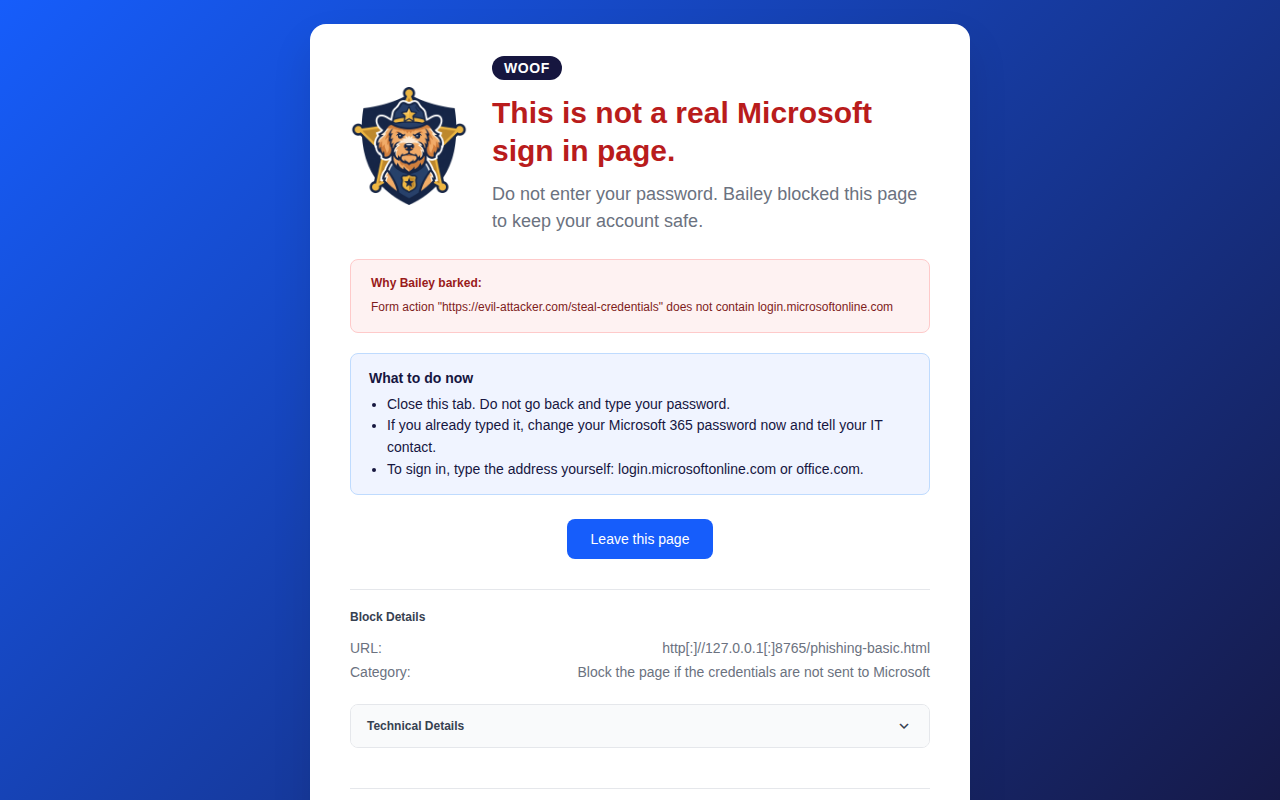
Blocks a page that is not really Microsoft before you can type anything, and tells you in plain words why.
Confirms the real one
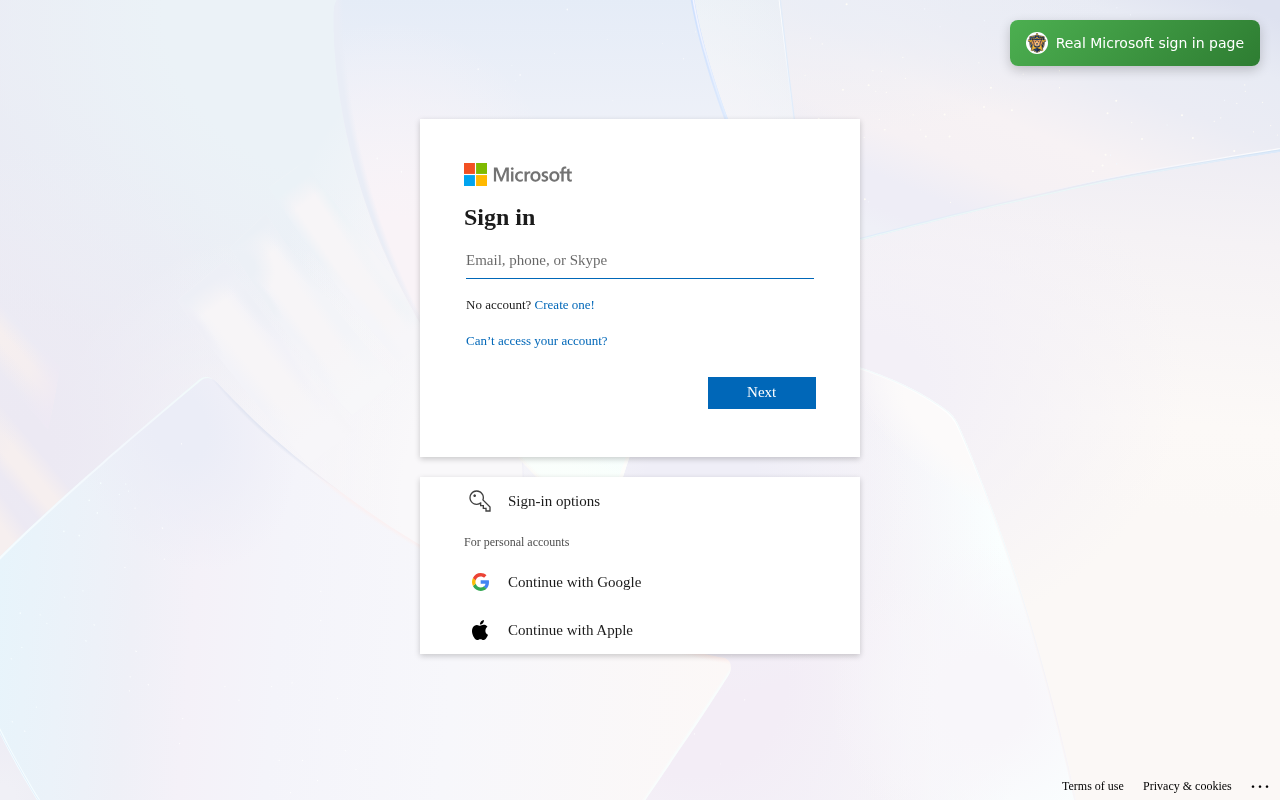
Shows a small green badge on the real Microsoft sign in page, so you know it is safe.
Keeps up with new scams
Downloads the latest public detection rules once a day.
See it work
Bailey barks at the fake and nods at the real one
What Bailey never does
Detection runs inside your browser
Marshall Bailey is a no cost tool. Cyber Grants Alliance built it to protect small businesses, nonprofits and community organizations, the groups that are most often left without security help.
- Collect your browsing history, your passwords, or anything you type.
- Show ads, track you, or run analytics.
- Send the content of the pages you visit anywhere. Detection runs inside your browser.
- Make any download except the public detection rules file.
How to get it
Get it from the Chrome Web Store
Three steps, a minute or two, at no cost to you.
Open the listing
Add it to Chrome
Click Add to Chrome, then Add extension.
Bailey starts watching
It starts checking the sign in pages you open.
Questions
Straight answers
Does Marshall Bailey cost anything?
No. Marshall Bailey is a no cost tool from Cyber Grants Alliance.
Does Marshall Bailey collect my data?
No. It does not collect your browsing history, your passwords, or anything you type. The full policy is on the privacy page.
Where does the checking happen?
Inside your browser. The only download is the public detection rules file from the Check by CyberDrain project on GitHub.
What happens when Bailey blocks a page?
Bailey replaces the fake sign in page with a warning, says why it stopped the page, and tells you what to do next. Do not enter your password on that page.
Is the code public?
Yes. Marshall Bailey by Cyber Grants Alliance is based on Check by CyberDrain and is licensed under the GNU Affero General Public License 3.0. The source code is at github.com/capitalcybercompliance/ares-da-bailey-guard.
Is Marshall Bailey in the Chrome Web Store?
Support Cyber Grants Alliance
Marshall Bailey is one way we protect small organizations
Cyber Grants Alliance is a nonprofit that helps small businesses and community organizations protect themselves from cyber attacks.
You can also volunteer with us.
Or email info@cybergrantsalliance.org or call +1 (888) 323-9991